The short answer
Judge AI headshots by how closely they resemble you and whether you can use them. Batch size alone does not establish likeness or quality.
If your AI headshots don't look like you, having dozens more to choose from can feel frustrating. You wanted a photo you could put on your LinkedIn profile or business website. Instead, you're trying to find a familiar face somewhere in the results.
I had that reaction recently when I tested another AI headshot generator using my husband's reference photos. The experience reinforced something I care about as a photographer: a headshot needs to preserve the person in front of the camera, even when there isn't a camera involved in creating the final image.
What I noticed in the test results
As I shared in my original LinkedIn post, the service delivered more than 50 headshots. Almost none were images I considered usable. The faces reminded me of relatives he might have had. Some images were blurry; others had extra arms or the wrong number of fingers.
The obvious mistakes were easy to reject. The unfamiliar faces were the bigger disappointment. Even without a visible glitch, a portrait wasn't useful to me if I couldn't recognize my husband in it.
That was my experience with one batch from one service. It made me think about how we judge the value of AI headshots before we have seen our own results.
What a large batch actually gives you
A package of 50 or 100 images sounds generous. More options can be useful when you want different outfits, backgrounds, or expressions. But the number delivered doesn't tell you how many you'll feel comfortable using.
Imagine reviewing a gallery for a single profile photo. You discard the images with obvious mistakes, then the ones with unfamiliar facial features, then the expressions you would never make. The useful part of that package is whatever remains.
Before comparing package sizes, decide what you need. One recognizable portrait may be enough for your LinkedIn profile. A website refresh might call for several different images. Either way, every photo you keep should earn its place.
How to check whether an AI headshot looks like you
Open a recent, unfiltered photograph beside the generated image. Choose a reference that clearly shows your face, ideally at a similar angle. Give yourself a moment to look beyond the clothes and background.
Start with your overall impression, then work through the details:
- Your face: Compare the shape of your cheeks, jaw, nose, and eyes. Look for changes that make the face feel unfamiliar.
- Your expression: Check your smile and the way your eyes look. Would you recognize that expression in an ordinary photo of yourself?
- Your distinguishing details: Notice your hairline, freckles, glasses, and other features people associate with you. Has anything important disappeared or changed?
- The image itself: Enlarge it enough to inspect the eyes, teeth, clothing, and any visible hands. Check for blur, strange edges, and distorted shapes.
Then look at the image at the size you plan to use it. A portrait needs to work as a small profile picture as well as a larger preview.
If you're undecided, show a trusted friend or colleague two or three options. Ask which one most closely resembles you in person. That is a more useful question than asking which photo makes you look the youngest.
Before and after examples from the original post
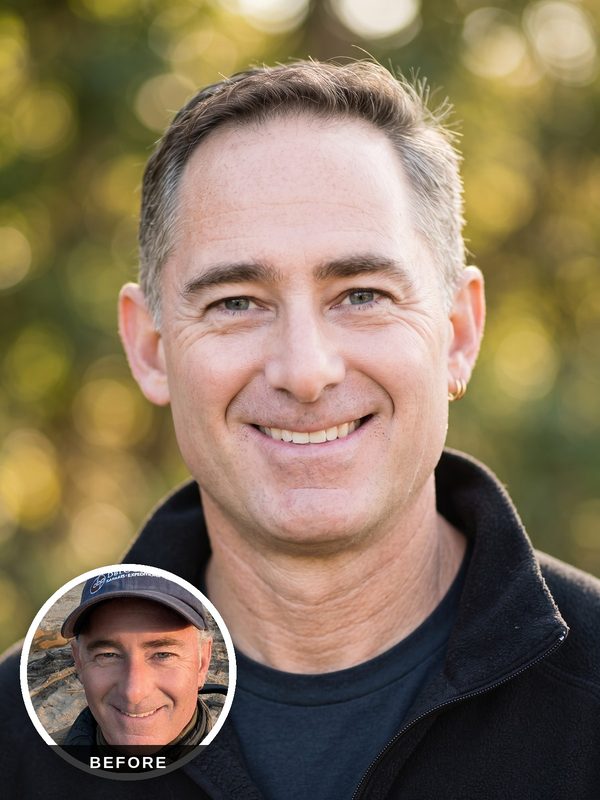
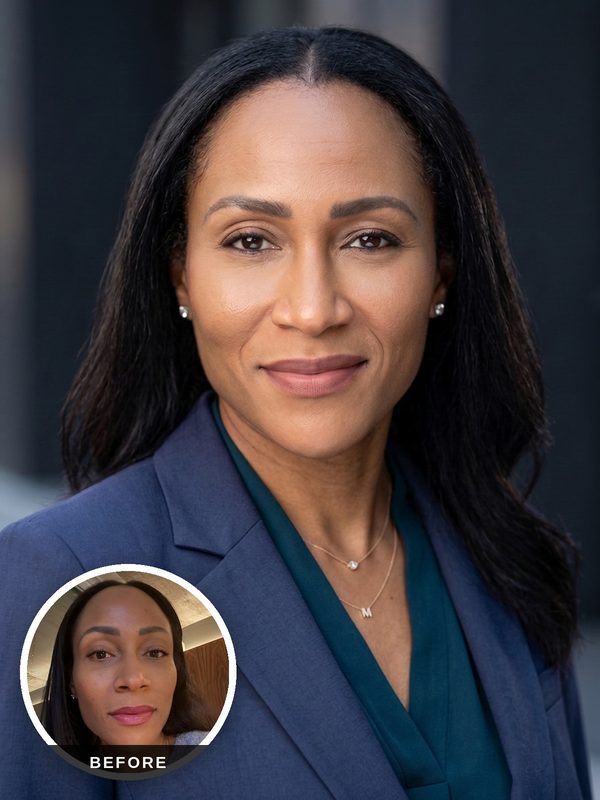
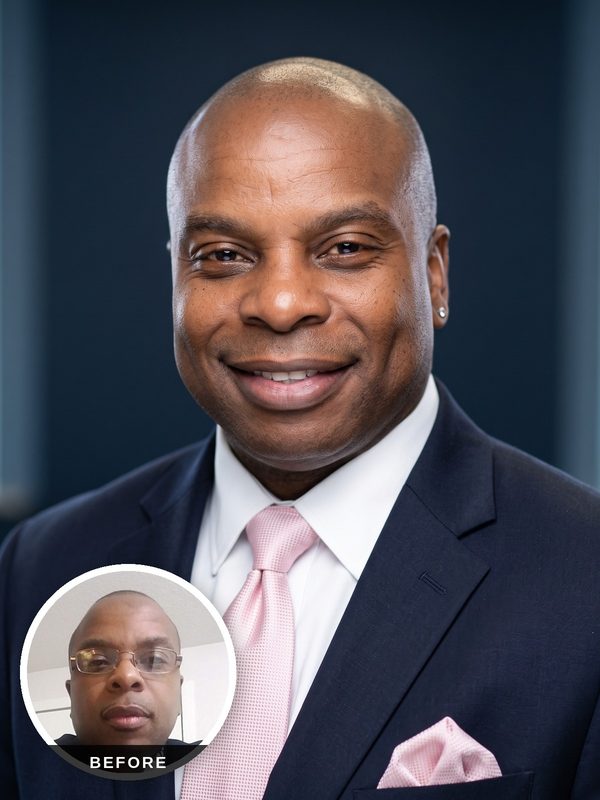
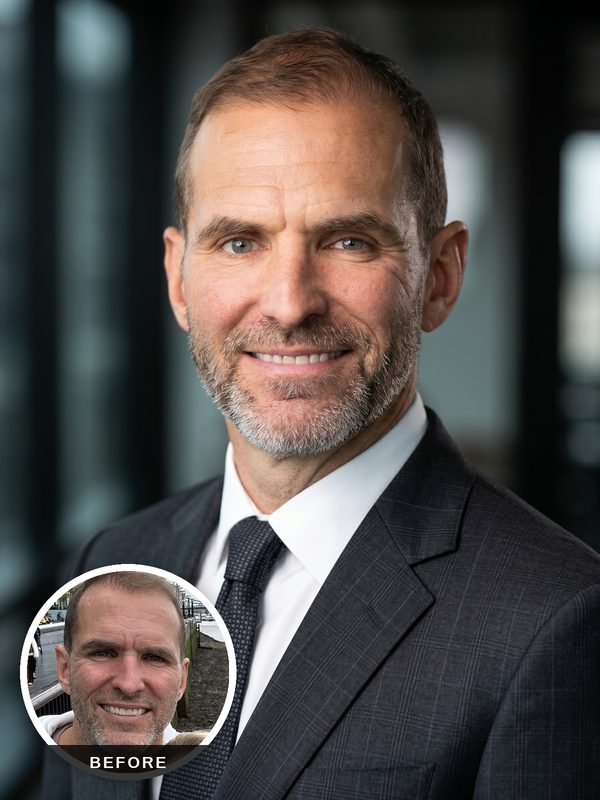
These are the GenerAItion examples I shared alongside my post. Each includes a reference photo in the circular inset, so you can compare the person's features with the generated portrait. They illustrate our own results; the competitor's images described above are not shown here.
What to try when the likeness feels wrong
Review the reference photos you uploaded. Do they clearly show your current appearance? Are they filtered, blurry, or taken with much of your face hidden?
For GenerAItion Headshots, I recommend five to eight recent photos with a mix of expressions and angles. Use clear light and avoid heavy filters. Our photo upload guidance explains what to prepare.
Treat a new batch as something to evaluate again. Better references are useful, but you should still inspect the finished images before choosing one for your professional profile.
Why I want you to preview your headshots first
I've spent 20 years photographing people, and preserving a recognizable face matters to me. That's part of what I bring to GenerAItion Headshots.
Your first six headshots are free to preview. You can examine the results before deciding whether to purchase the images you want to keep. If you need to understand the process first, here's how it works.
For a broader look at cost, practical uses, and when an in-person session may suit you better, read Are AI Headshots Worth It for Professional Use.
When you review your own results, start with recognition. Find the image you would feel comfortable putting beside your name and showing to someone you're about to meet.