The short answer
Clear, current, unfiltered reference photos and a careful review of your features, skin texture, and expression help you choose a realistic AI headshot that looks like you.
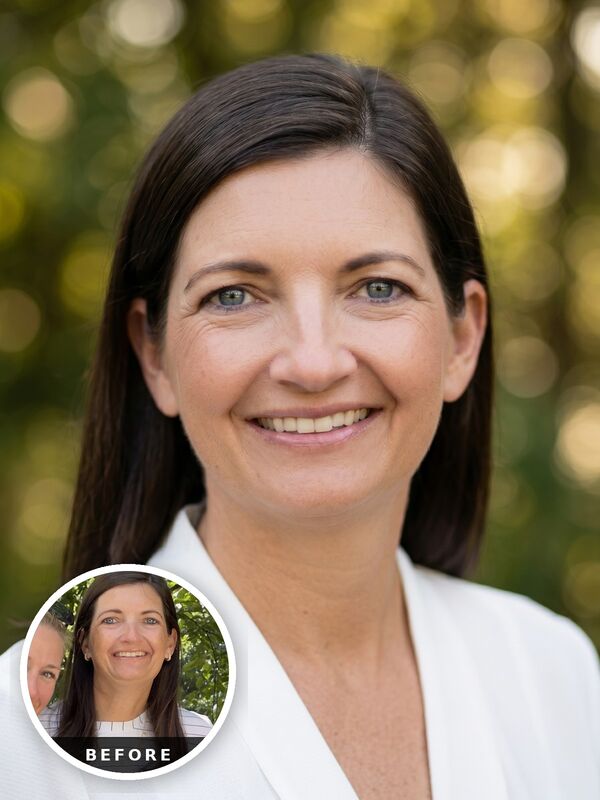
Realistic AI headshots ARE possible to achieve, but they require a specific set of criteria to get the best results. Clear, high resolution, un-filtered reference photos are the most important first step, and a careful review of the generated headshots lets you choose the image that looks most like you.
Begin with some real current selfies, then include some of your favorite photos of yourself but crop into your head and shoulders. Give the generator multiple, high resolution useful views of your face.
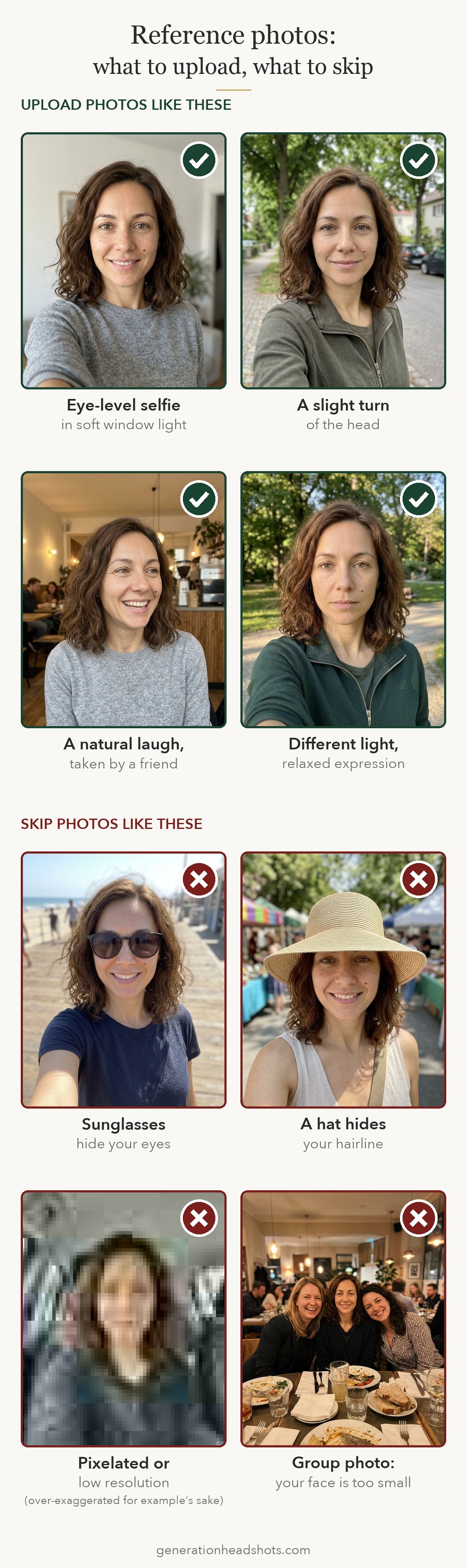
Use reference photos that look like you NOW… from this decade.
The most realistic ai headshots are the ones that look like you now, not 20 years ago. Choose recent photos which keep a consistent look. If you change your hair often, choose photos where the hair is mostly the same length and color. Mixing reference photos with different hair lengths, colors or facial hair will confuse the generator and could produce inconsistent results.
Overly filtered, smoothed or retouched reference photos will cause the generated photos to look fake as well. So choose images that aren’t smoothed, or altered in any way for the most realistic results. Please also don’t upload any face-tuned images that change the shape of your facial features.
Different expressions and small changes in face angle can be extremely beneficial. The more variety you give the headshot generator, the more knowledge it will have of your unique features.
Diverse lighting across your reference selfies is best.
The more variety there is in the way your face is lit in the uploaded selfies, the better. If you’re taking images specifically for the purpose of AI headshots, find a location where your features are clear without deep shadows, like facing a window. This is a practical way to get soft daylight for a reference selfie.
Look at skin color in the reference, too. If the room's light gives your face a strong color cast, move to a different spot and compare the new photo with what you see in the mirror.
You are preparing useful references. The photos do not need a studio background or a carefully styled final outfit. All of those elements are added virtually through the generator.
Avoid exaggerated selfie angles
Hold the camera around eye level and leave enough distance that your face looks familiar. A phone held very close, and from a lower angle can make parts of the face seem larger relative to others. This is called distortion, and it’s why professional headshot photographers use very specific lenses to photograph a face, so the features remain in proportion with one another. In a perfect world, ask a friend to take your reference photos for you, using the front phone zoom lens. This is the easiest way to avoid facial distortion.
Review the image before uploading it. Compare the nose, forehead, and jaw with another recent photo taken from a more ordinary distance. If the proportions seem exaggerated, retake or omit that reference photo.
Include straightforward views along with slight turns of your head. Choose pictures where the features are visible and the expression feels natural.
Choose a believable style
No one believes a professional headshot taken on the deck of a yacht… More distracting backgrounds tend to take away from a good headshot. Generation Headshots curates background choices made by a real headshot photographer with 20 years experience. You can preview those options in the style section when choosing your options.
Also, consider picking clothing that fits your professional context. For the most authentic clothing choice, choose “use my first outfit” or “upload a cropped outfit.” These two options give you incredible control over what you’ll be wearing in your generated headshots, and leads to a much more authentic ai headshot.
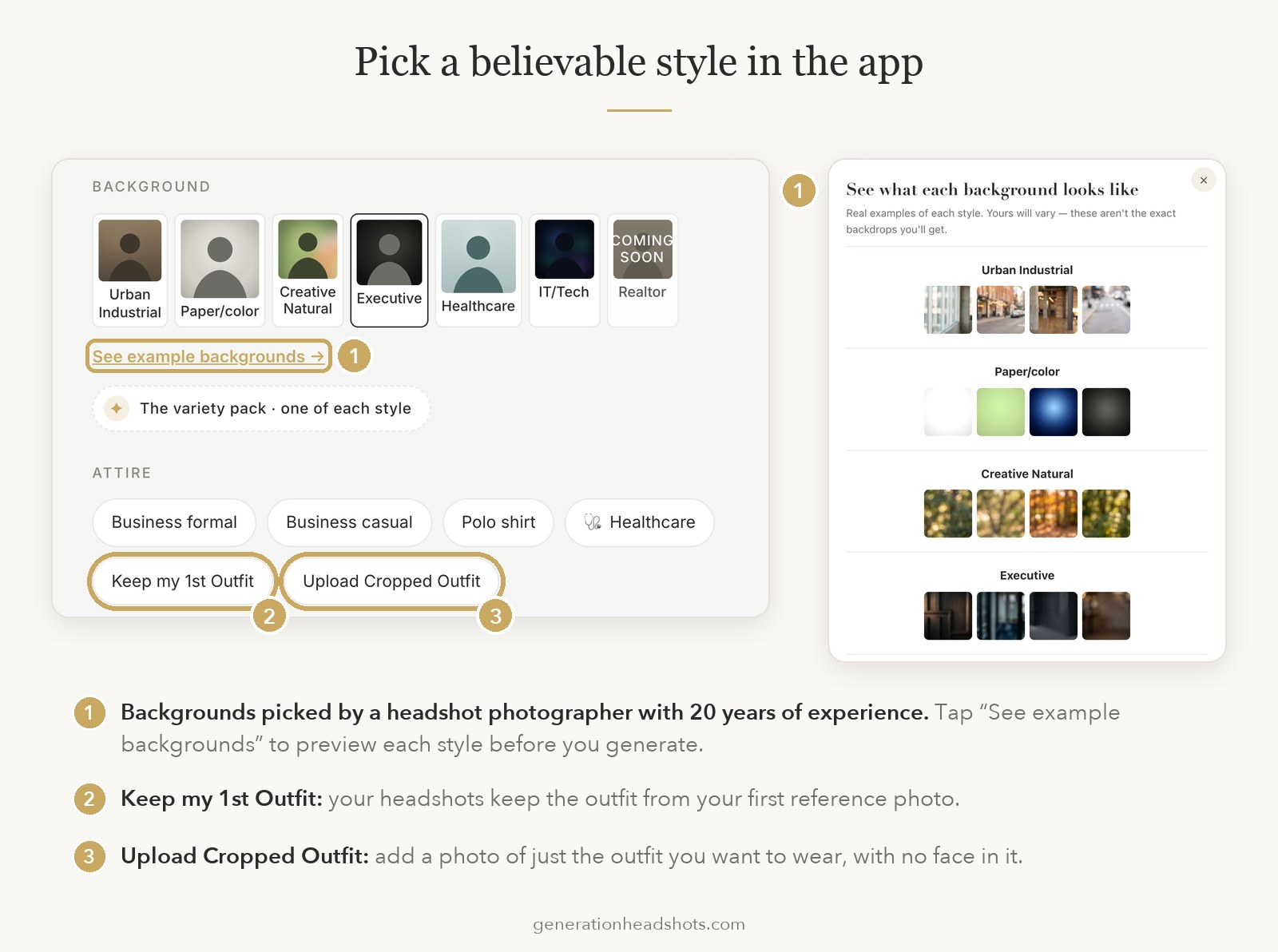
A simple clothing and background combination can make it easier to focus on the authentic person in the portrait, and give a believable result.
Think about the finished photo as something you would be comfortable showing to people who know you. If the outfit or setting feels unfamiliar, consider a different style even when the image is visually convincing.
Our how-it-works page explains the current style options. For team portraits, shared background and wardrobe choices can give the images a consistent direction, but individual results will still vary.
Check the face before choosing a favorite
Compare your previews with a recent photograph. Begin with the overall face shape, then inspect the eyes, nose, mouth, jaw, and hairline. Look for details that have been changed enough to feel unfamiliar. Your eyebrows may be a different shape, or the smile may show teeth in a way that does not feel like you. Opt for a different generated shot when those changes affect the likeness or lead to identity drift.
If you wear glasses, check the frame shape and how the arms meet the sides of your face. Review earrings, collars, and other visible details as part of the same check. Generation Headshots explicitly directs the AI to keep your authentic glasses rims and shape. You chose those frames in real life because you like them, they should be represented accurately in your headshot.
Review realistic skin texture and natural retouching
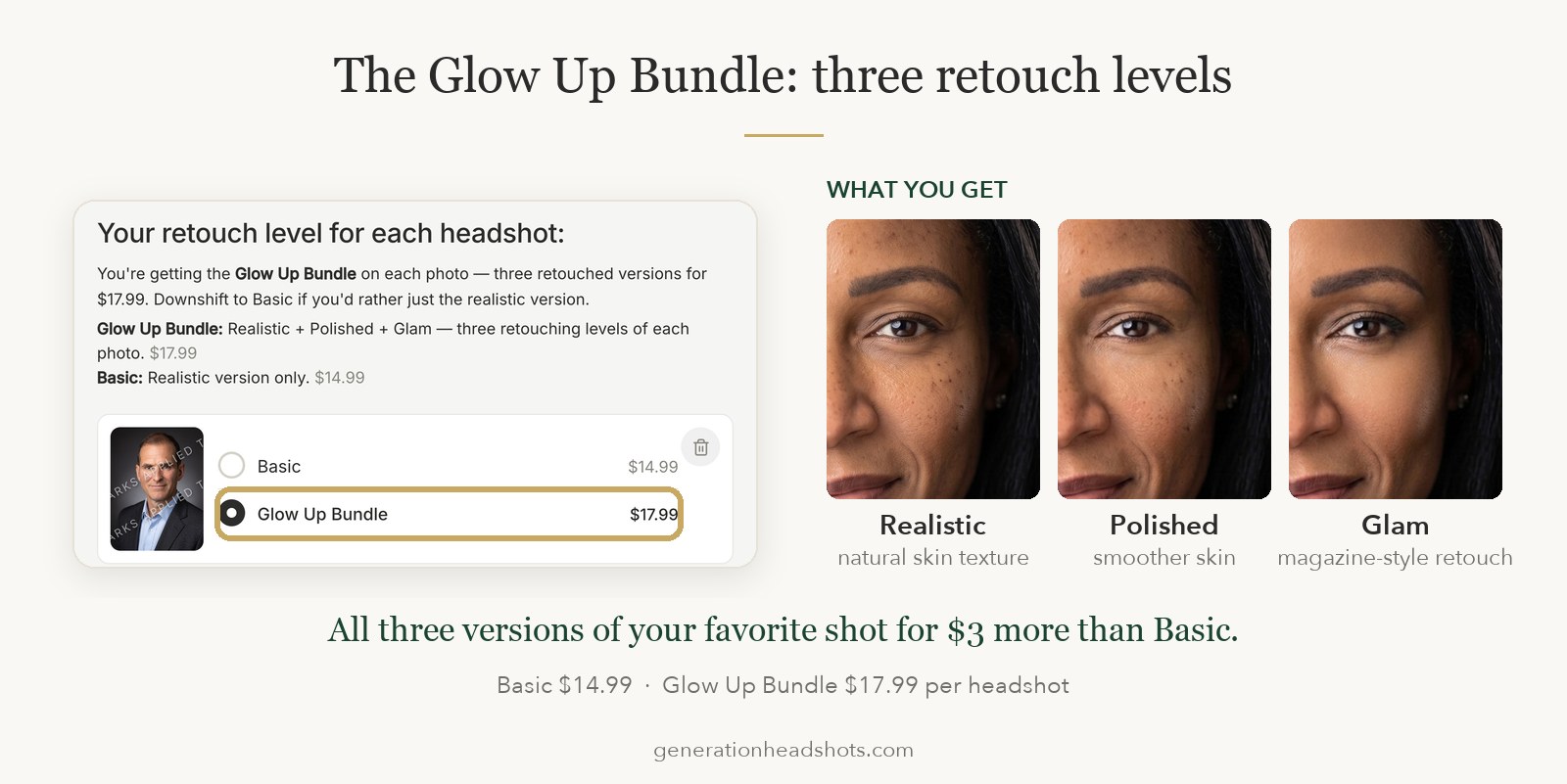
The cardinal rule for Generation Headshots is to create natural-looking skin. Realistic skin includes texture, and variations in tone. Other headshot generators smooth the skin in a way that gives a tell-tale sign it was created using AI. When reviewing your headshots, this is the most important thing to check. Feel free to zoom in to really see the texture. Especially around the eyes and in the under-eye area.
You may prefer some retouching for your professional image. Choose the finish as a personal preference, and check that your face remains recognizable within it. Generation Headshot allows you to upgrade to three different retouched versions of your headshot. For only $3 more. It’s worth it to opt for the “Glow Up Bundle” so you receive three versions of your favorite headshot rather than one. You then can pick the level of retouching you like best.
Choose an expression you would make naturally
A confident smile or a relaxed, professional expression can work well for a work headshot. Compare how the eyes and cheeks move in your reference photos with the generated version.
Ask someone who knows you whether your favorite is immediately recognizable. A second opinion can help when you have looked at several versions for a long time.
Check the final crop at the size where the photo will appear. Your face should remain clear without crowding the frame, and the background should support it.
GenerAItion Headshots was built by photographer Kristina Sherk with photography expertise informing the product's approach. You can preview your first six headshots without a credit card and buy only a selected download you want to use. Use clear references and choose the result that captures your likeness.